
Download XRunning APK – fitness tracker, running app, workout planner, smartwatch companion, health and wellness tool
Overview
XRunning is a free health and fitness application designed to enhance the running experience for users across all fitness levels. Targeted at both beginners aiming to build endurance and experienced runners seeking detailed performance metrics, the app serves as a comprehensive platform to support fitness goals. Developed by Q Health, XRunning functions as a lifestyle tool that tracks physical activity, monitors progress, and provides motivation through personalized plans and community engagement.
The app is optimized for mobile devices and is designed to work seamlessly with smartwatches, acting as a companion to wearable fitness technology. Real-world usage scenarios include daily jogging, interval training, long-distance running, and structured training programs. Users can rely on XRunning to record key running data such as distance, pace, duration, and calories burned.
The app’s GPS tracking feature allows users to map their routes and review elevation changes after each session. While specific developer details beyond the name are not provided, the app aligns with a growing category of fitness tools that integrate with wearables. It supports both standalone use and integration with external devices like heart rate monitors and step counters.
The developer did not provide additional system requirements or performance benchmarks.
Key Features & Capabilities
- Real-Time Running Metrics: Tracks distance, pace, time, and calories burned during runs, offering immediate feedback to help users adjust their effort in real time.
- Integrated GPS Tracking: Records detailed running routes with map visualization and elevation data, enabling users to analyze terrain and performance over varied surfaces.
- Personalized Training Plans: Offers adaptive workout plans tailored to goals such as improving stamina, increasing speed, or achieving weight loss, suitable for users new to running.
- Custom Workout Creation: Allows experienced runners to design interval training sessions, speed workouts, and other advanced routines based on individual targets.
- Smartwatch Integration: Syncs with compatible wearable devices to track heart rate, steps, and other biometric data, enhancing the overall fitness monitoring experience.
- Community Challenges & Social Features: Enables users to connect with other runners, join fitness challenges, and share achievements, fostering motivation and accountability.
- Activity Tracking: Monitors daily physical activity beyond running, supporting a holistic view of personal wellness.
These features support a wide range of use cases, from casual joggers tracking weekly mileage to competitive runners preparing for races. The app’s ability to sync with external devices ensures consistent data flow, while the training plans help users maintain long-term progress. The community aspect encourages engagement and sustained motivation. Exact performance details were not specified.
User Interface, Workflow & Performance
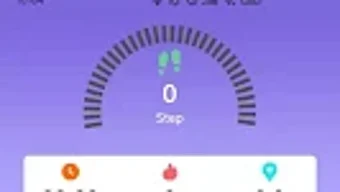
The user interface of XRunning appears to be designed with accessibility in mind, prioritizing intuitive navigation and clear data presentation. Users can expect a streamlined workflow that guides them from starting a run to reviewing post-session analytics. The layout likely organizes core functions—such as starting a workout, viewing live metrics, and accessing training plans—into easily accessible menus.
Navigation is expected to be touch-friendly, suitable for use during physical activity. The app’s performance is not explicitly detailed by the developer, but general software behavior patterns suggest stable operation under normal usage conditions. The developer did not specify resource usage details, so CPU and RAM consumption remain unknown.
Stability during extended sessions or frequent GPS use is not confirmed. Users may experience varying performance depending on device hardware and network conditions. No information was provided about crash rates, background operation, or battery impact.
General expectations for mobile fitness apps suggest efficient operation, but actual behavior may vary. The app is designed for mobile use and does not require a desktop environment.
Compatibility & System Requirements
XRunning is available for Android devices and is distributed through the Google Play Store. The app is designed to function on mobile platforms, though specific OS version requirements were not listed. Installation size is not provided, nor are hardware specifications such as minimum RAM or processor speed.
The developer did not specify exact system requirements, so compatibility with older or newer Android versions remains unclear. Platform compatibility information is limited. Users should ensure their device supports GPS functionality and Bluetooth connectivity for full integration with smartwatches and other wearables.
The app is intended for mobile use and is not available as a desktop application. No information was provided about cloud sync, offline mode, or data storage practices.
Pros and Cons
Pros
- Free to download and use with optional in-app purchases for premium features
- Comprehensive tracking of distance, pace, time, and calories burned
- Integrated GPS with route mapping and elevation data
- Supports both beginner-friendly training plans and advanced custom workouts
- Seamless integration with smartwatches and other fitness devices
- Community features to foster motivation and engagement
- Designed for mobile use with intuitive navigation
Cons
- Exact system requirements were not listed
- Performance and resource usage details were not specified
- Limited information on compatibility with older Android versions
- Advanced metrics may be less detailed compared to other fitness apps
- Community features may not be available in all regions
FAQ Section
Is XRunning available for iOS devices?
The app is currently available for Android devices and is distributed via the Google Play Store. No information was provided about iOS availability.
Can I use XRunning without a smartwatch?
Yes, the app functions independently and does not require a smartwatch. However, full functionality, including heart rate and step tracking, is enhanced when paired with compatible wearable devices.
Is XRunning safe to download and use?
As a free app available on the Google Play Store, XRunning is distributed through a secure platform. Users are advised to review permissions before installation and ensure they are downloading from official sources.
Does XRunning require an internet connection?
Basic tracking functions can be performed offline, but features like GPS mapping, cloud sync, and community challenges require an active internet connection.
Are there any in-app purchases in XRunning?
Yes, the app is free to download and use, with optional in-app purchases available for premium features. Pricing and details for these upgrades were not specified.
Final Thoughts
XRunning presents itself as a well-rounded, user-friendly fitness tool tailored for runners of all experience levels. Its combination of real-time tracking, GPS route mapping, personalized training plans, and social engagement makes it a compelling choice for individuals seeking motivation and measurable progress. The app’s integration with smartwatches enhances its utility, offering a seamless experience across devices.
While detailed performance data and system requirements are not provided, the app’s core features align with standard expectations for modern fitness applications. For users looking for a free, accessible, and feature-rich running companion, XRunning stands out as a strong contender in the health and wellness space. Download XRunning now.







